 UploadMyWalk
How to Turn a Walk into a 3D Flyover Video
Updated 19 October 2026
A flyover sends a camera along your route over real 3D terrain, so you can relive a walk from the air and share it. UploadMyWalk's videos also show your distance and climb, mile markers, your highest point, your photos at the places you took them, and the light and weather you actually walked in.
Watch a flyover
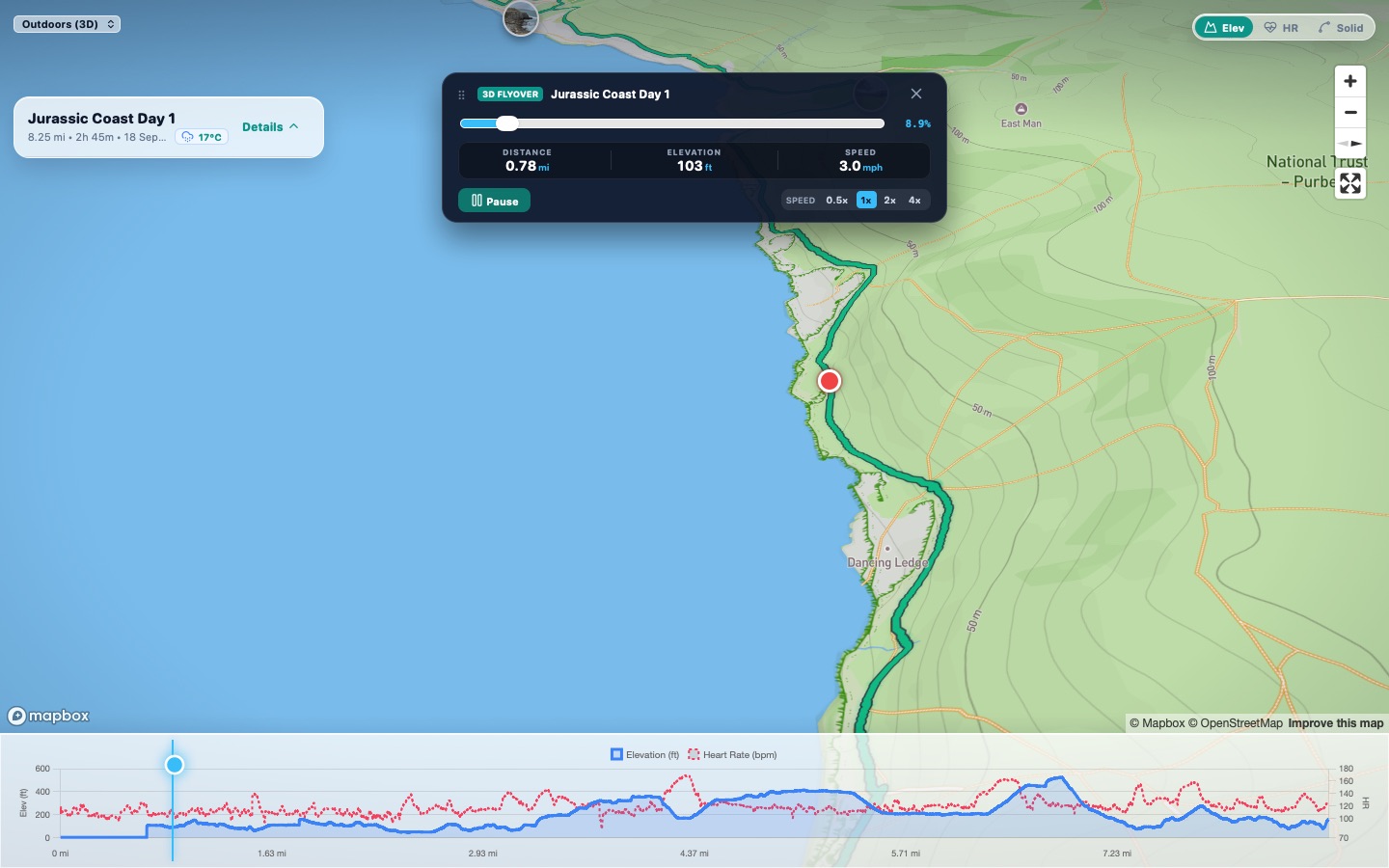
Open any walk and tap 3D Flyover. The camera follows your route, with play, pause and speed controls and a marker moving along the elevation chart. Try it on an example walk.
Save it as a video
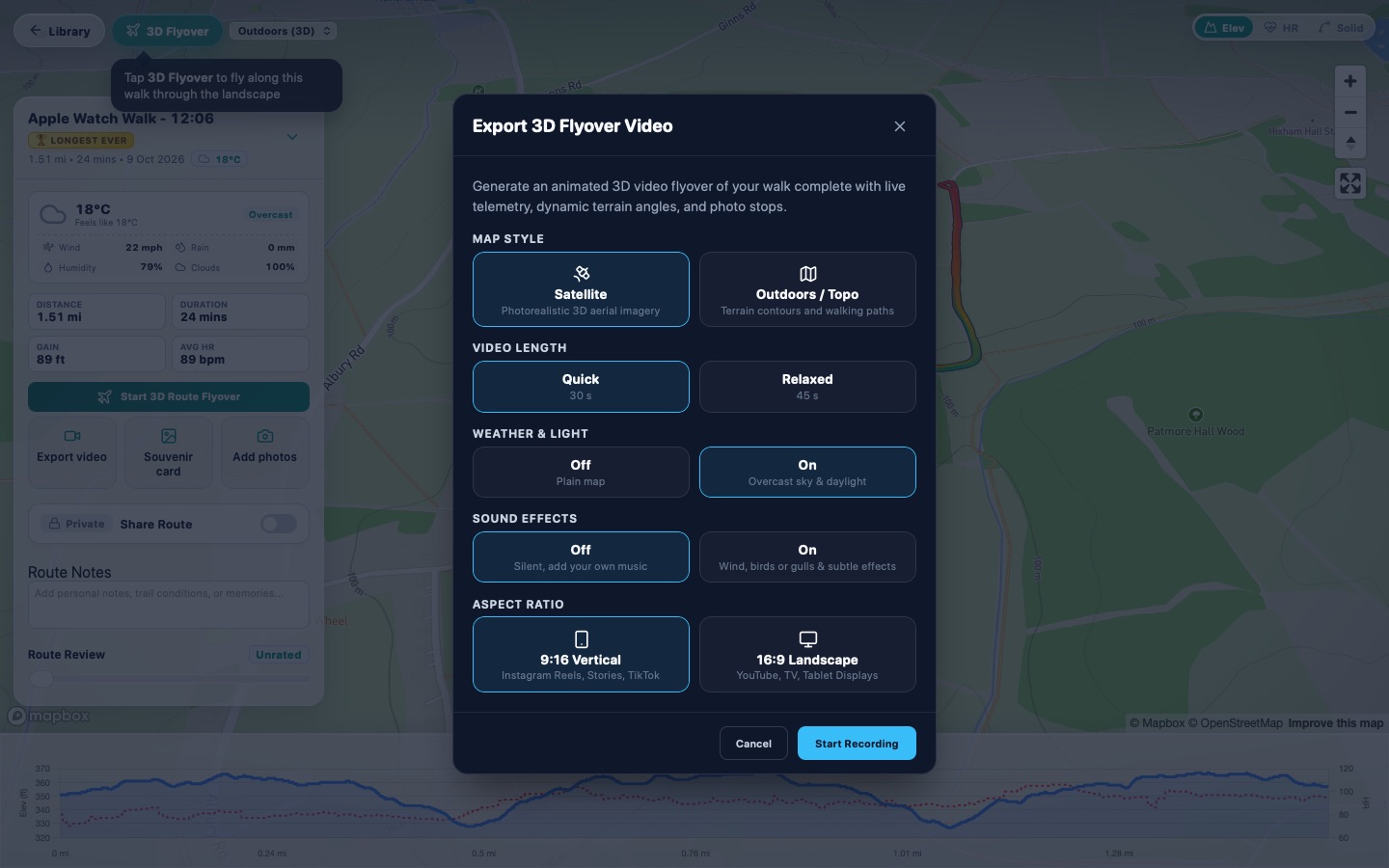
- Open the walk and tap Export video.
- Pick a map style: Satellite for real aerial imagery, or Outdoors / Topo for contours and paths.
- Pick a length. Longer walks get a recommended length as well as Quick and Relaxed.
- Choose whether to show the weather and light of the day (rain, fog, golden hour or dusk), and whether to add sound effects such as wind, birdsong or gulls on the coast.
- Choose 9:16 Vertical for Instagram Reels, Stories and TikTok, or 16:9 Landscape for YouTube and TV.
- Tap Start Recording and keep the window open while it renders. Then save it to Photos, share it, or download the file.
Tips for a better video
- Add your photos to the walk first: they appear at the points where you took them.
- Satellite looks best for coastlines and mountains; Outdoors suits woodland and field paths.
- Walks from an Apple Watch include your heart rate, so the video marks your hardest moment.
Questions
Can I make a flyover from a GPX file?
Yes. Bring the GPX, FIT or KML file into UploadMyWalk, open the walk and choose Export video.
How long are the videos?
You choose: Quick (30 seconds), and for longer walks a recommended and a Relaxed length of up to 90 seconds.
Where is the video saved?
On iPhone, tap Save to Photos / Share. On a computer, the video downloads as a file.
Try UploadMyWalk free
Every feature is free for up to 5 walks. The UploadMyWalk iPhone app is coming soon to the App Store. On a computer, bring in GPX, FIT or KML files on the website.
Get started freeSee an example walk in 3D